Unlock Hidden TikTok Features for Free on iPhone - iOS Mods
Download videos without watermark, block all annoying ads, auto-scroll, and read messages in Ghost Mode. For TikTok. No PC or jailbreak.
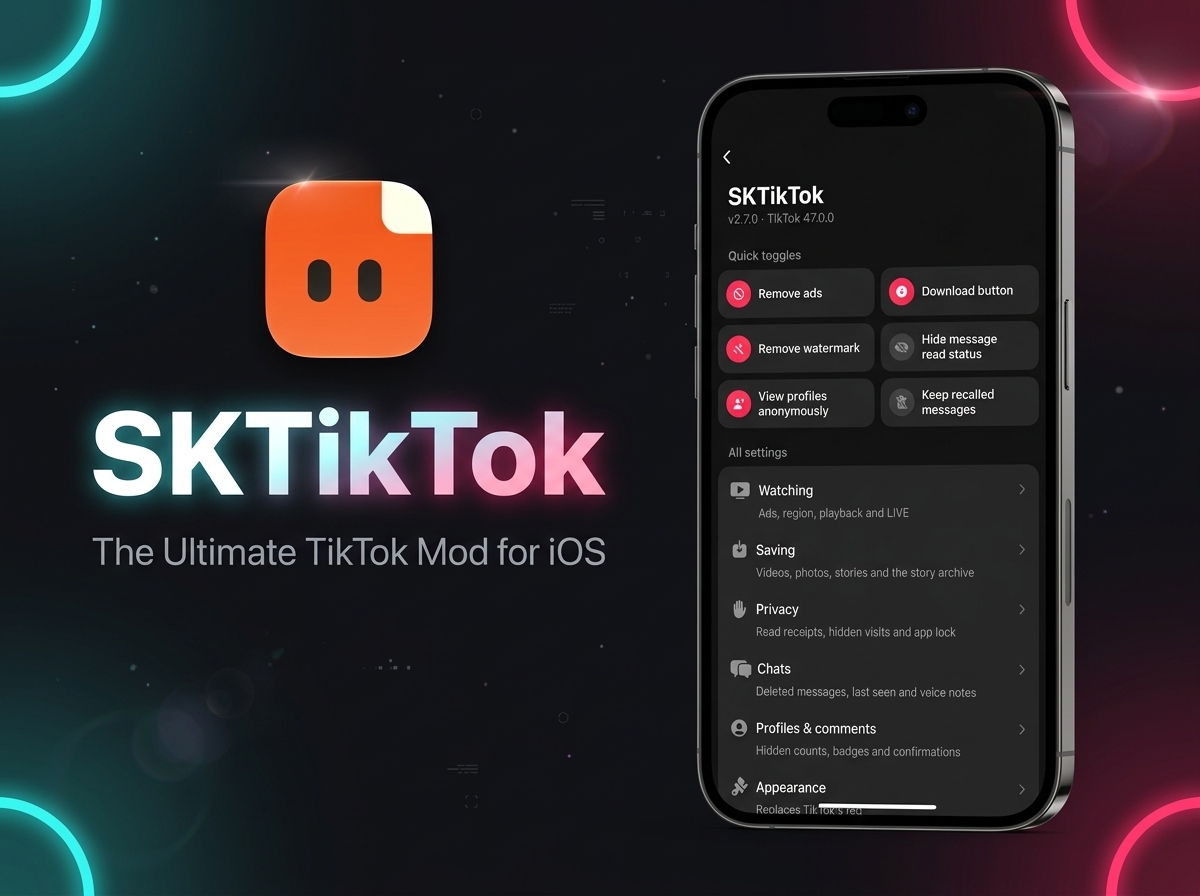
If you use TikTok every day, you have probably wished the app had a few extra features. Maybe you want to save a video without the TikTok watermark, get rid of sponsored posts, or read a message without sending a read receipt.
The regular TikTok app does not offer all these options. That is where SKTikTok comes in.
SKTikTok is a tweaked version of TikTok for iOS that adds useful features you won't find in the standard app. You can download videos without watermarks, block ads, customize your feed, and access extra privacy options. Best of all, you can turn individual features on or off to suit your needs.
There are other TikTok tweaks in the iOS Mods library, including DLTikTok, ACTikTok, and ASJTikTok. SKTikTok is another option worth checking out if you want more control over how you use TikTok on your iPhone.
| App name | SKTikTok |
| SKTikTok version | 2.7.0 |
| TikTok version | 47.0.0 |
| Works on | iOS 14.0 or later |
| Jailbreak | Not needed |
How to Use SKTikTok
Getting started is simple. Once you have installed SKTikTok, open the app and go to your TikTok profile. Open the settings menu and look for the SKTikTok section.
The main screen has two parts: Quick Toggles and All Settings.
Quick Toggles gives you fast access to some of the most useful features. For more options, open All Settings, where the features are grouped into sections such as Watching, Saving, Privacy, Chats, Profiles & Comments, and Appearance.
Quick Toggles: The Main Features
The Quick Toggles menu is a good place to start. Here are the main options and what they do:
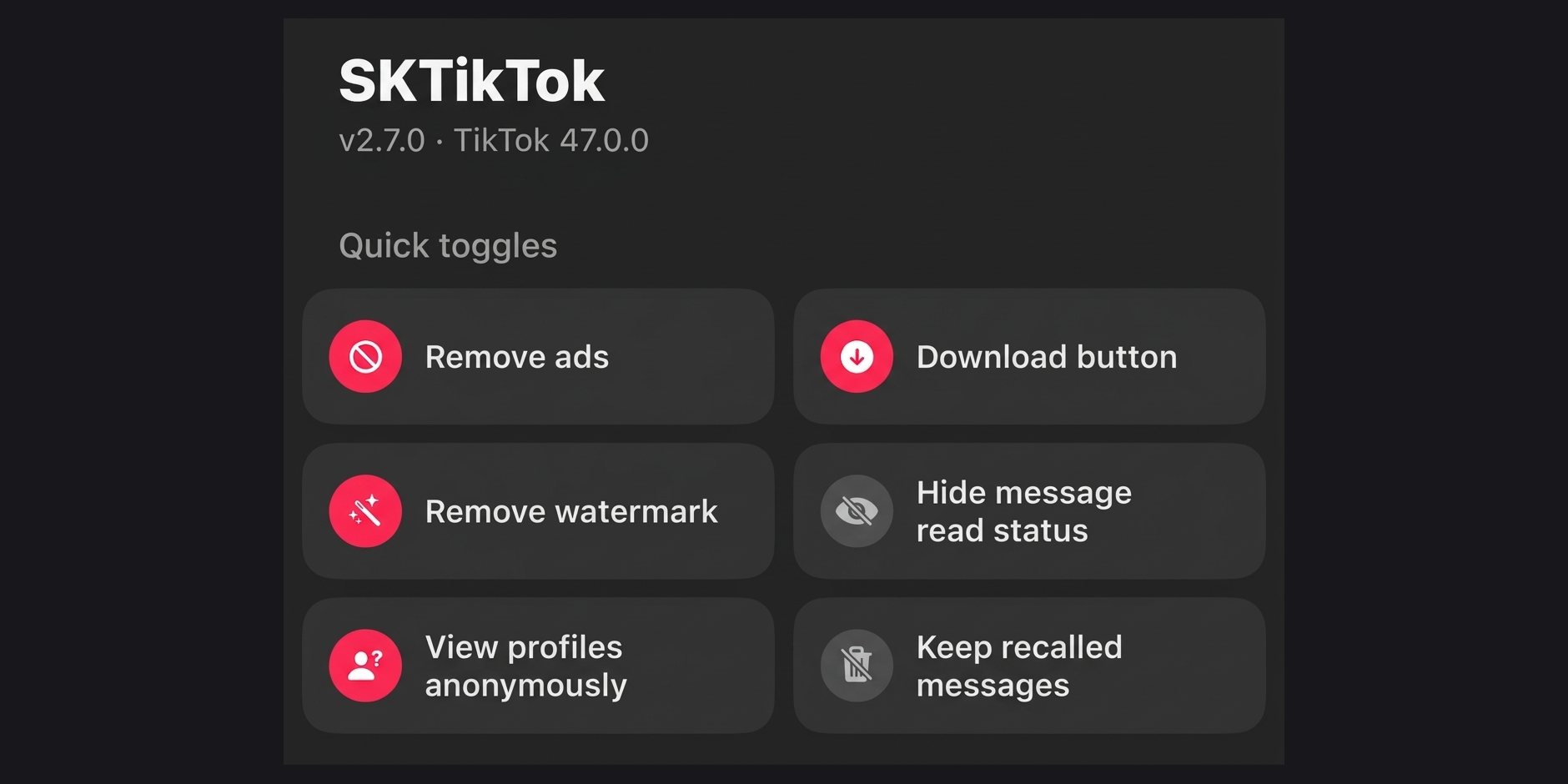
Download button
Adds a dedicated download button to the TikTok interface, making it easier to save videos without using a separate downloader website.
Remove watermark
Lets you save videos without the usual TikTok watermark overlay. This is useful when you want a cleaner copy for personal viewing or other permitted uses.
Remove ads
Hides sponsored posts from your feed, giving you a less interrupted browsing experience.
View profiles anonymously
Lets you browse other profiles without showing your visit in TikTok's visitor list.
Hide message read status
Helps you read direct messages without telling the sender or sending the usual read receipt.
Keep recalled messages
Lets you keep access to unsent messages and attachments that the sender later recalls in the chat.
These shortcuts cover some of the most popular reasons to try SKTikTok. You can also open All Settings to explore the additional options.
SKTikTok Features in Detail
1. Watching: Customize Your TikTok Feed
The Watching section gives you more control over your feed, region, and video playback. Instead of using TikTok exactly as it comes, you can adjust several parts of the viewing experience.
Content region
Changes the region used for your TikTok feed, allowing you to browse the feed as if you opened TikTok there.
Remove ads
Removes sponsored posts from your feed. You can switch this option on or off whenever you want.
Skip the launch ad
Skips the full-screen ad shown while TikTok opens.
Hide suggested accounts
Removes the "accounts you may like" cards from your feed, helping keep your scrolling experience less cluttered.
Hide LIVE posts
Removes live rooms from the feed if you prefer watching regular videos.
Start on the Following feed
Starts the app on the Following tab instead of For You, so you can begin with content from accounts you follow.
Playback Options
This section also includes several playback settings that change how videos play:
- Auto scroll: Moves to the next video automatically when one ends.
- Stop videos from looping: Pauses the video at the end instead of replaying it.
- Unmute videos automatically: Stops TikTok from silencing a video on your behalf.
- Keep the progress bar visible: Keeps the seek bar visible so you can scrub forward or backward anytime.
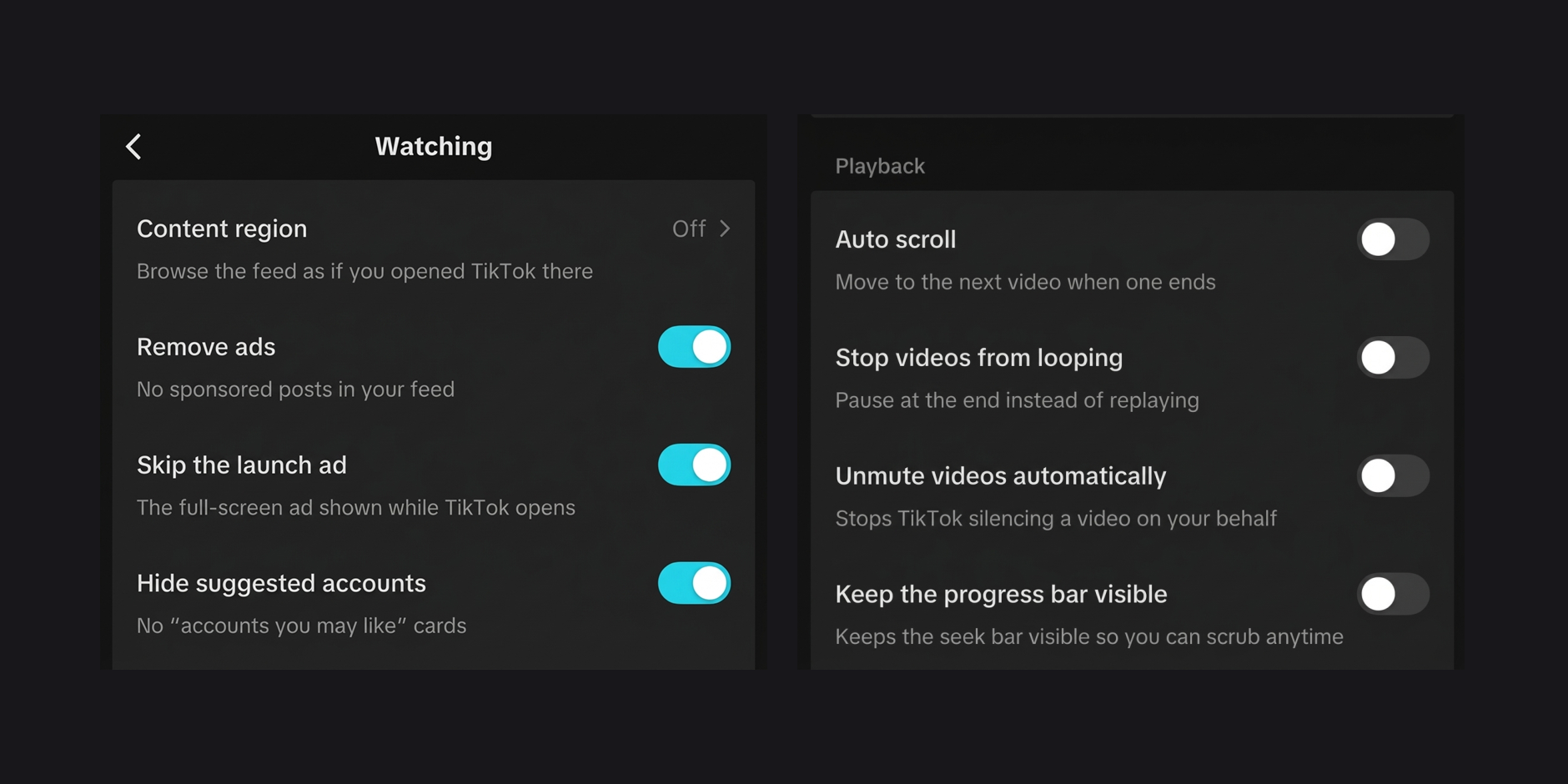
These options are useful if you want fewer interruptions or prefer a different way to browse TikTok.
2. Saving: Download Videos, Stories, and More
One of the main reasons to install SKTikTok is its built-in saving tools for videos, photos, stories, and the story archive. Depending on the enabled options, you can access download features directly inside TikTok instead of relying on third-party websites or shortcuts.
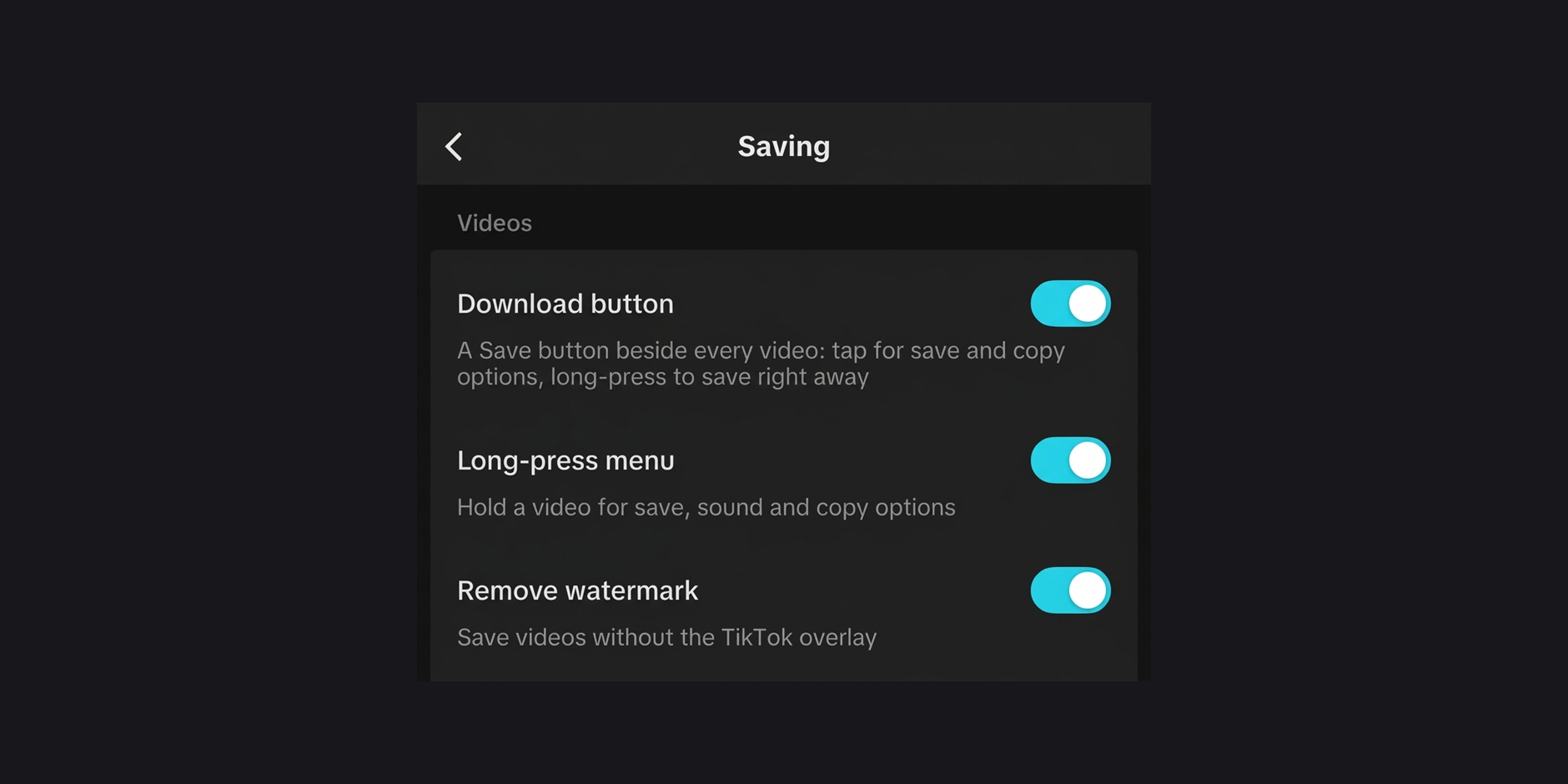
Videos
- Download button: Adds a Save button beside every video—tap for save and copy options, or long-press to save right away.
- Long-press menu: Hold a video to open save, sound, and copy options.
- Remove watermark: Saves videos without the TikTok overlay.
- Ignore download blocks: Saves videos that the creator or sound marked as blocked.
Stories and Media
- Save stories: Adds a save button on every story, or lets you long-press one to save it.
- Save media from comments: Adds a Save button to photos and stickers in comments.
- Save profile pictures: Adds a Save button to full-screen profile pictures.
- Save media from chats: Adds Save to the menu when you hold a photo, video, or voice message in direct chats.
Story Archive
- Keep stories you watch: Keeps stories you have viewed available in your story archive.
You do not need to use every option. Enable the ones you find useful and leave the rest turned off.
Keep in mind that downloading content does not give you ownership of it. Respect the creator's rights and avoid sharing saved media without permission.
3. Privacy: More Control Over Your Activity
If you prefer to keep your TikTok activity private, the Privacy section offers controls for messages, profiles, stories, links, and app lock.
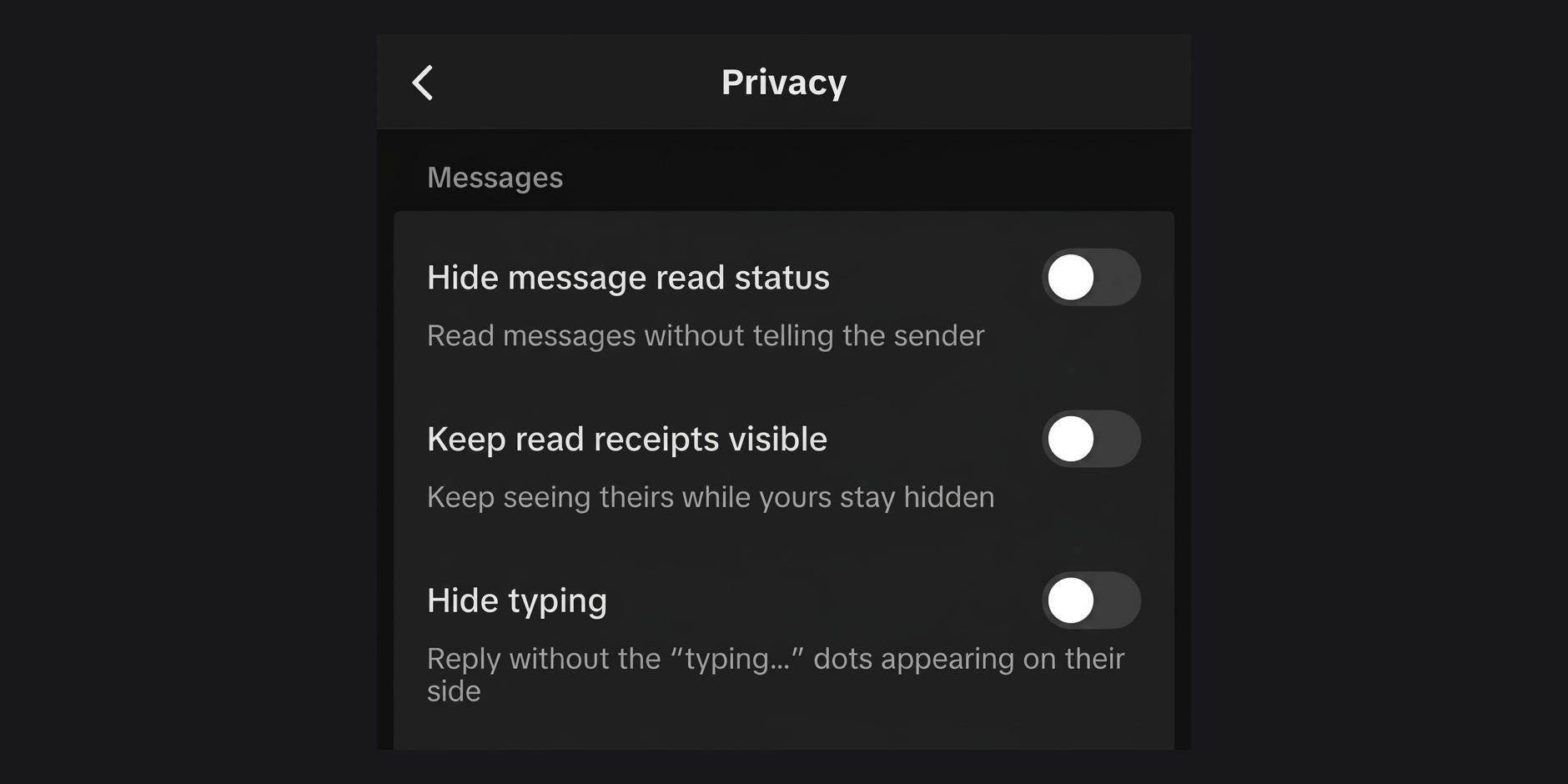
Messages
- Hide message read status: Read messages without telling the sender.
- Keep read receipts visible: Keep seeing other users' read receipts while yours stay hidden.
- Hide typing: Reply without the "typing..." dots appearing on the other person's side.
- Hide your active status: Stop showing as active while still seeing who else is online.
Profiles and Stories
- View profiles anonymously: Visit profiles without appearing in their visitor list.
- Keep my story views hidden: Stay off the poster's viewer list until you tap the check mark (✓) on their story.
Links
- Open links in your browser: Skips TikTok's in-app browser and its warning page.
- Strip tracking from links: Strips tracking parameters when you copy a link.
App Lock
- Require Face ID: Asks for Face ID or your passcode when you open TikTok.
- Ask again after: Lets you choose when the app requires authentication again, such as Immediately.
These features help you control what other users see about your activity, though they should not be treated as a complete guarantee of anonymity.
4. Chats: Extra Options for Direct Messages
SKTikTok also includes dedicated options for direct messages under the Chats menu:
- Alert when read: Displays a banner the moment someone opens your message.
- Exact last-seen time: Shows the exact time a user was last active instead of general labels like "2h ago".
- Keep recalled messages: Unsent messages stay in the chat, with attachments included.
- Send audio as voice message: Adds a button in the chat bar that sends an audio file from the Files app as a voice note.
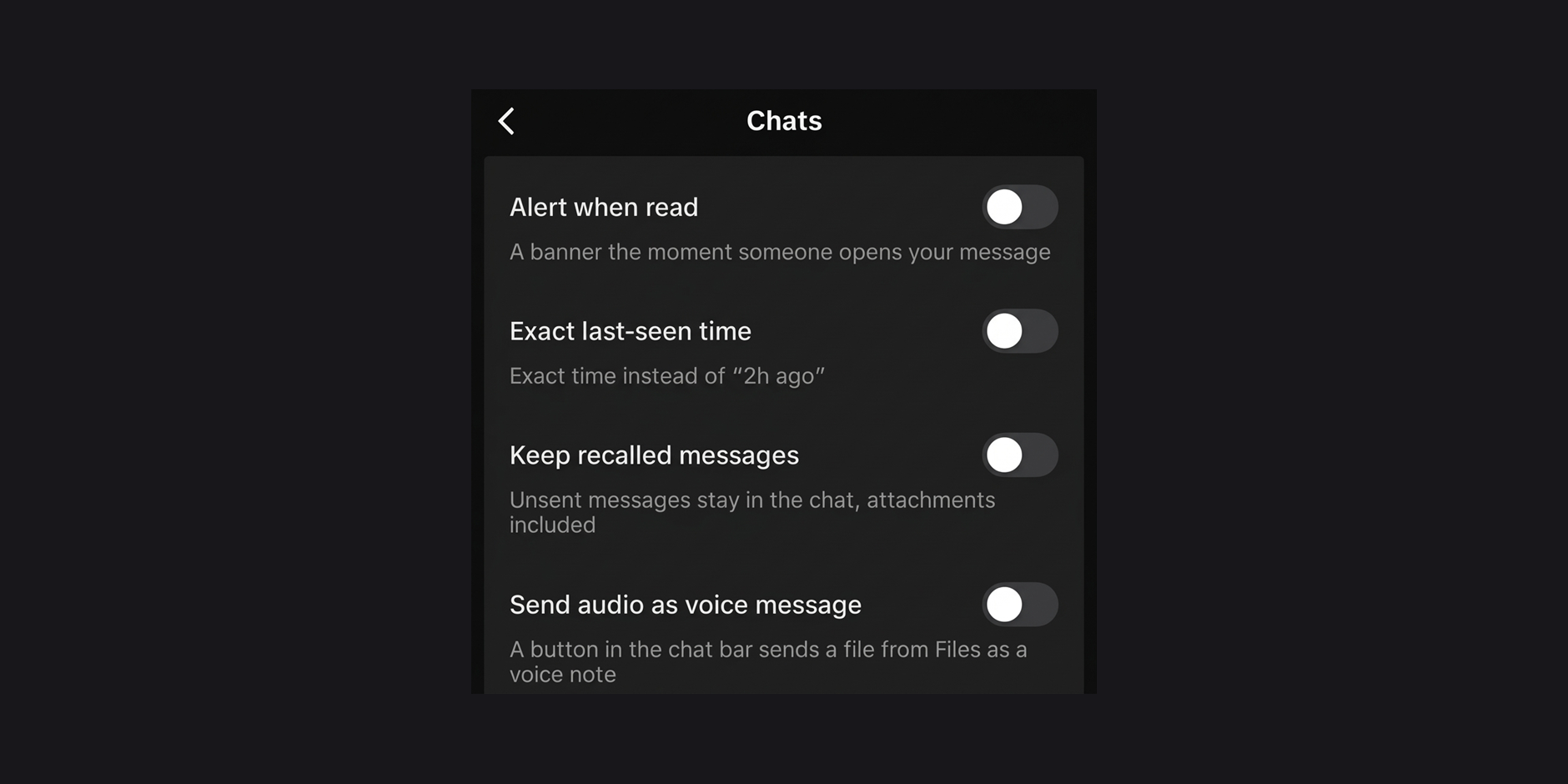
These options are particularly useful if you use TikTok messages regularly and want more information and flexibility in your inbox.
5. Profiles & Comments: A Cleaner and More Detailed Interface
The Profiles & Comments section provides options for viewing hidden profile details, customizing your profile, reading comments, and preventing accidental interactions.
Profiles
- Sort profiles by most liked: Sort anyone's profile by most liked videos, not just your own.
- Show like total: Reveals the likes count on profiles that hide it.
- Show the video count: Shows the number of posts on the Videos tab.
- Show upload date on grid: Prints when each post was made directly on the profile grid.
- Show "Follows you": Shows a badge on people who follow you.
- Keep "Just watched": Keeps the jump-back bubble on the grid instead of showing it only once.
- Extended bio: Lets you type past TikTok's bio character limit.
- Profile banner: Lets you add a photo or one of your videos as a banner from Edit profile.
Comments
- Show disabled comments: Read comments left before the creator turned them off.
- Extended comments: Lets you type past TikTok's comment character limit.
Confirmations
- Confirm likes: Asks before liking or un-liking a video.
- Confirm follows: Asks before following from a video or a profile.
- Confirm comment likes: Asks before liking a comment.
- Confirm comment dislikes: Asks before disliking a comment.
6. Appearance: Change the Look of TikTok
SKTikTok also has an Appearance section. The main menu describes this section as an option that replaces TikTok's red interface elements.
If you prefer a different look, check the available Appearance settings and choose the options supported by your installed version.
How to Install SKTikTok on iPhone
SKTikTok is available through the iOS Mods app library.
You do not need to jailbreak your iPhone or use a computer for the standard iOS Mods installation process.
To get started:
- Open the SKTikTok download page on your iPhone.
- Follow the installation instructions provided by iOS Mods.
- Open SKTikTok after installation.
- Go to the app's settings and open the SKTikTok menu.
- Enable the features you want to use.
Is SKTikTok Worth Trying?
If you regularly download TikTok videos, dislike sponsored posts, or want more control over read receipts and profile visits, SKTikTok offers several useful options in one app.
Its main advantage is convenience. Instead of switching between TikTok and separate tools to save content or change your browsing experience, you can access all of these options directly from the SKTikTok settings menu.
Want to try it? Visit the SKTikTok page on iOS Mods for the current release and installation details.
- 10 Best Tweaked Apps for iPhone in 2026 (No Jailbreak) - iOS ModsLooking for the best tweaked apps for iPhone in 2026? The standard App Store offers plenty of great applications, but sometimes you want more features, extra customization options, or access to tools that aren't included in the regular versions.
- Spotify Premium for Free on iPhone: Pro vs V2 Edition - iOS ModsListen to Spotify without ads, unlock unlimited skips, and stream in extreme audio quality on your iPhone. Compare Spotify Pro and Spotify V2 to find your best iOS install.
- How to Enable Developer Mode on iPhone (Fix the Missing Option for Free) - iOS ModsLearn how to enable Developer Mode on iPhone running iOS 16 or later. Follow the standard method, use Apple's official Xcode method on a Mac, or troubleshoot the missing Developer Mode option when installing apps from iOS Mods.